text-justify defines where space is added in justified text
- Published at
- Updated at
- Reading time
- 1min
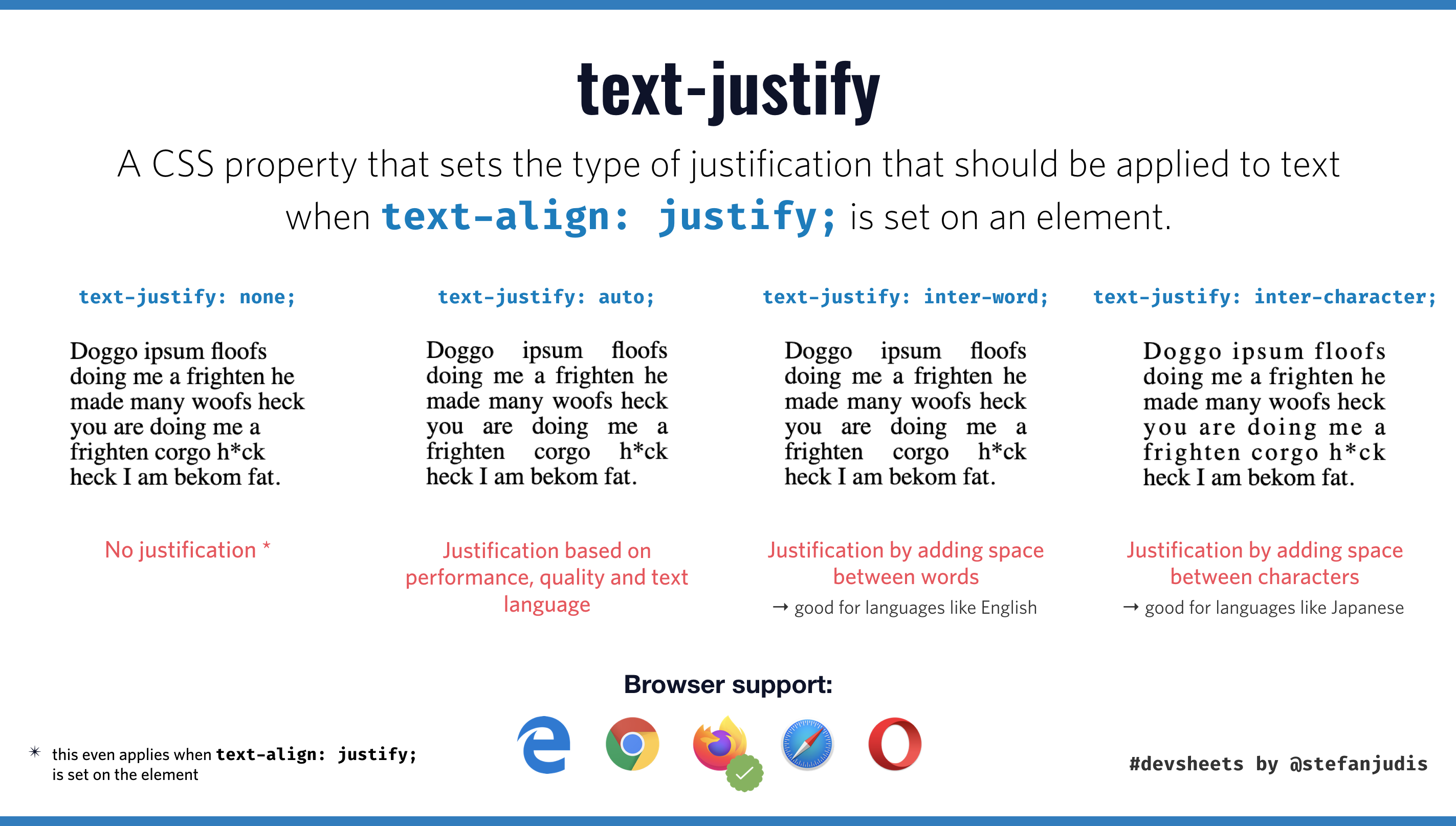
Today I discoverd the CSS property text-justify. The CSS property controls how user agents deal with text justification. There are at least two ways browsers justify the text when text-align: justify is set:
- add spacing between words
- add spacing between every character
text-justify controls the spacing for an element's text justification. The default value for text-justify is auto, which leads user agents to pick the best way depending on performance, quality, and set language.
Then there are inter-word and inter-character, which lead to the spacing between words or characters. It's interesting that there is also a none value which disables text justification completely even when text-align: justify; is set. 😲
You can read more about text-justify on MDN.
Edited: Sven Wolfermann pointed out that you have to be careful when using text-justify because the browser support is not that great these days.
Edited: Also, if you're using text justification you have to be aware that a nice formated text could harm readability.

Join 6.3k readers and learn something new every week with Web Weekly.

Frontend nerd with over ten years of experience, freelance dev, "Today I Learned" blogger, conference speaker, and Open Source maintainer.