How to access the your sites' Google cache from the URL bar
- Published at
- Updated at
- Reading time
- 1min
If you're publishing content on the web, it's good to know when Google indexed new or updated pages. Today I learned that you can access the cached version (if there is one) right from the URL bar by prepending cache: to the URL. 😲
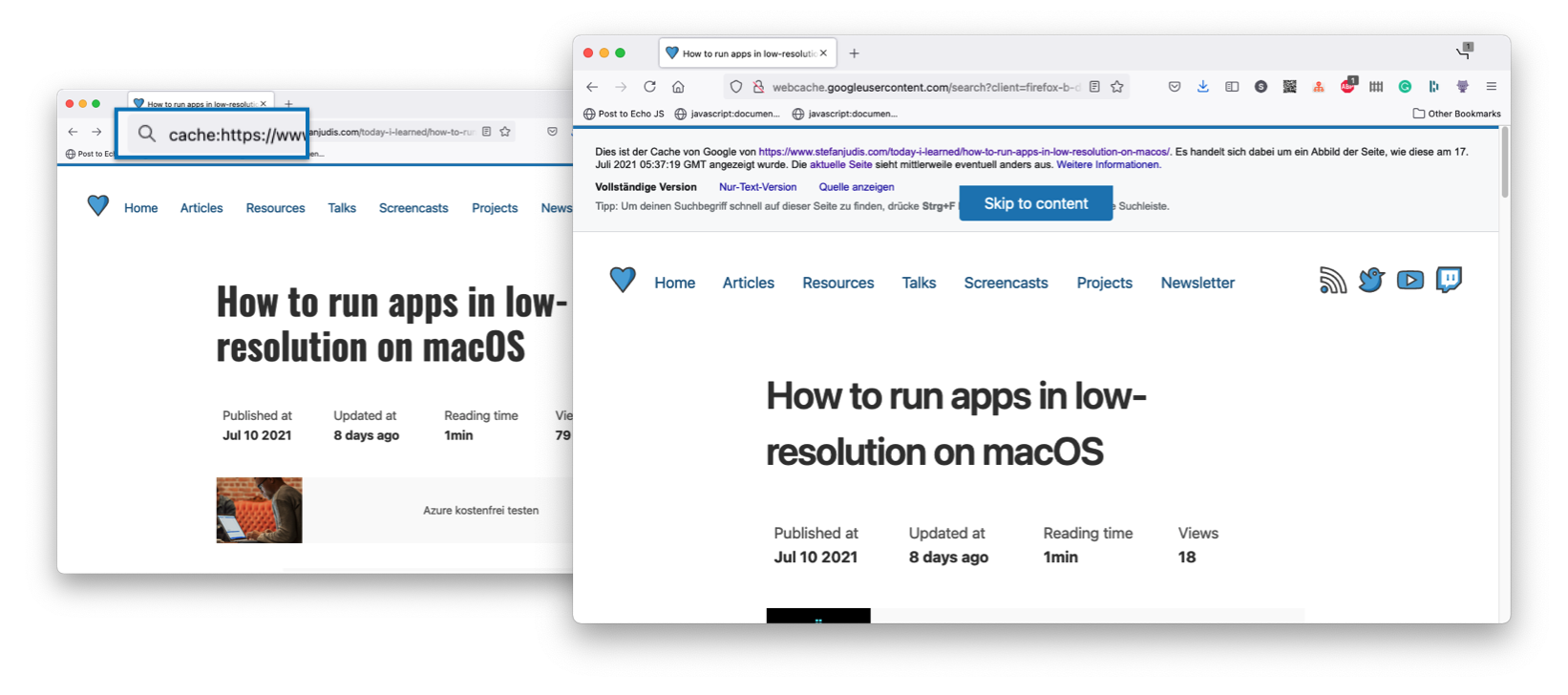
A URL such as cache:https://www redirects to the recent Google-indexed version available under http://webcache.
Edit: As it turns out this is a Google Search rather than a browser feature. When Google is your default search engine, the cache: prefix works because it works in Google Search itself. 🤦♂️


Join 6.3k readers and learn something new every week with Web Weekly.

Frontend nerd with over ten years of experience, freelance dev, "Today I Learned" blogger, conference speaker, and Open Source maintainer.